
Manage every land development project in one platform
Schedules and task lists stay current as the team works, so the project manager running the job and the division president watching the portfolio see the same data, at the level of detail each one needs.
What’s Included
Everything your team needs to run projects
Dashboards, schedules, and site logs all pull from the same project data, so everyone works from the same information.
Role-Based Dashboards
Start each day with the information relevant to your work.
Portfolios & Markets
Group land development projects the way your organization is structured.
Scheduling
Build and manage every schedule on a drag-and-drop Gantt chart.
Baselines
Save a snapshot of the original schedule to measure against.
Site Logs
Capture what happens on site, with weather and location filled in automatically.
Role-Based Dashboards
One source of project information, a different view for each role
Lead
Budgets vs. actuals, active projects, and lots in the pipeline across the portfolio, with a drill-down into any market or project.
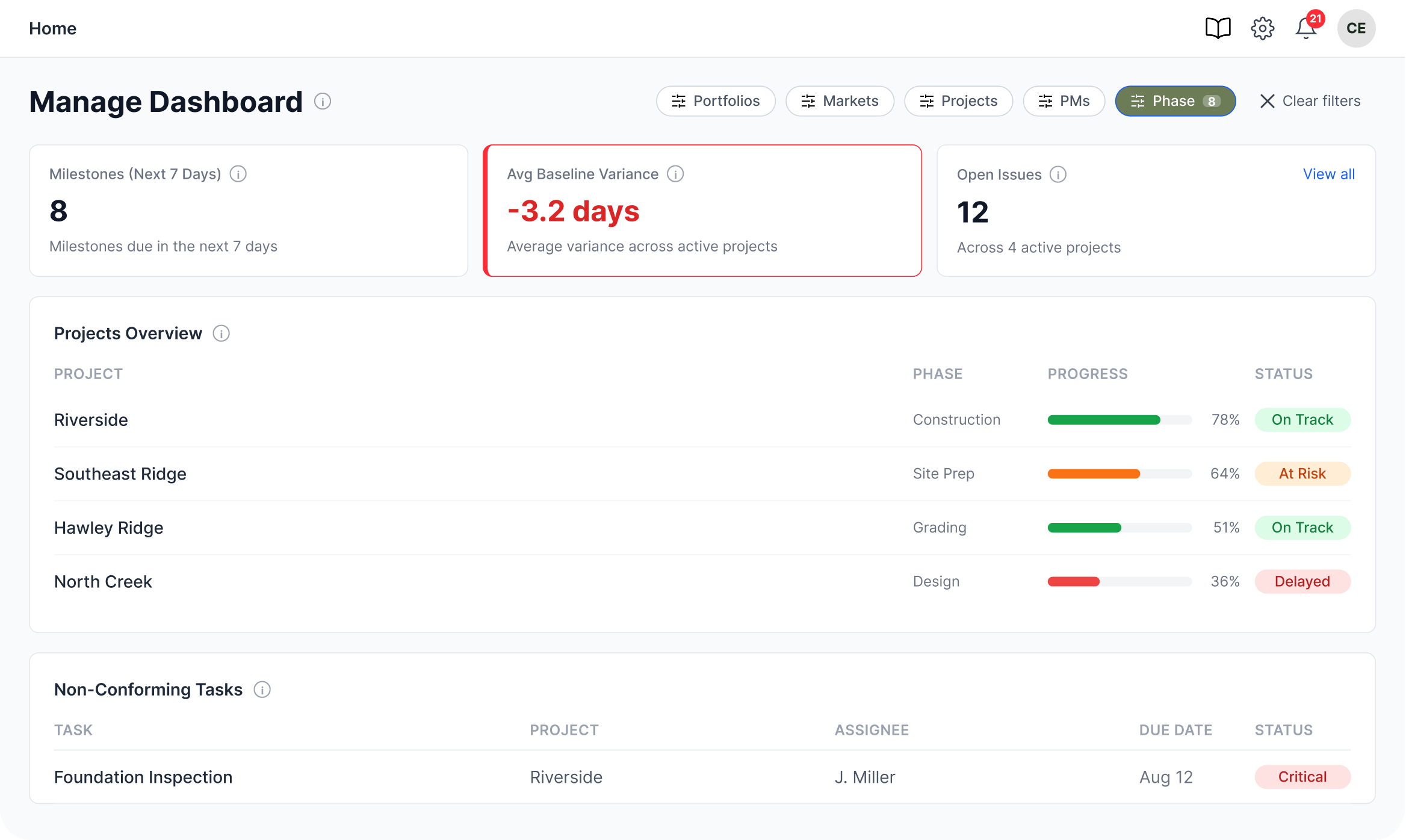
Manage
Active projects by stage, percent complete, and at-risk or overdue tasks across every job they manage.
Do
A two-week task list, viewed as list or kanban, filtered by today, upcoming, and overdue, without the noise of the full project schedule.
The Schedule
From original plan to where things stand today
Tasks, priorities, and dependencies come together on the Gantt chart, and the saved baseline snapshot measures how the project has progressed against the original plan.
When a task moves on the Gantt chart, the tasks downstream shift with it, all the way down to the lot delivery date.
Site Logs
A record of what happened
Project managers and field teams log site progress, notes, challenges, and action items, with weather and location filled in automatically, so every log has a consistent record.
When you log an update from the project site, that day’s local weather is added automatically.
Related Modules
Connects with the rest of TerraTech 360
Financial Management
Costs tie to each project and cost code, change orders update budget-to-actual, and earned-value summaries show leadership cost and schedule together.
Learn more →Reporting
Lead, Manage, and Do dashboards show the big picture, while project reports cover actuals and commitments, budgets, schedules, milestones, and notes.
Learn more →“TerraTech allows you to adjust schedules on the fly and accurately track each procedure required…other systems only track one hard date with no additional information.”
Frequently Asked Questions
What teams ask before getting started
Quick answers to common questions about TerraTech 360. If your question isn’t here, our team is one message away and happy to walk you through it. Just send us an email at sales@terratech360.com.
Does TerraTech track earned value?
Yes. Every project tracks earned value metrics, including schedule and cost performance, so you can see whether a project is ahead of or behind plan before it turns into a conversation with a contractor.
Does TerraTech 360 support critical path scheduling?
Yes. Both the Gantt chart and grid view support dependencies and critical path, so you can plan visually or work the way you would in a spreadsheet.
Can I import a schedule from Microsoft Project or Excel?
Yes. Schedules can be imported from Microsoft Project or Excel, so you don’t have to start over.
Can I export a schedule to share outside the platform?
Yes, as PDF, PNG, CSV, or Excel.
How does TerraTech 360 store our files?
Your documents stay where you already keep them, such as Dropbox, OneDrive, or SharePoint, and TerraTech 360 links to them. There is nothing to migrate, no duplicate copies to manage, and your existing file permissions stay in place. You can attach links right to the tasks and budget lines they belong to, so the permit sits on the task that needs it and the signed contract sits on the budget line that funds it.
Can I see who changed what?
Yes. TerraTech 360 keeps a full audit trail of who did what and when.
Do you have a mobile app, and does it work in the field?
The mobile app is in development and is expected to release in Q4 2026.
Is there a colorblind-accessible view?
Yes.
Keep every project current
We will show you how your land development projects could be managed in TerraTech 360.