
Know every person and vendor working on each project
Your team, trades, and vendors are organized in one place and connected to the projects and tasks they touch, so you always know who to call.
What’s Included
Your team roster and vendor contacts, kept current
Resources keeps your internal team and outside partners organized and linked to the projects and tasks they’re working on.
Team Roster
See everyone on your team in one place, with their role, contact info, the projects they manage, and the tasks they’re working on.
Account Roster
Keep address, billing details, contracts, and related contacts for clients, contractors, investors, partners, and vendors on one record.
Insurance & Compliance
Track each vendor’s compliance status and insurance expiration date, so you can see that information at a glance.
Contacts
Store names, titles, trades, contact information, certifications, and license notes for outside contacts, all linked to their main account.
Import & Export
Download accounts and contacts as an Excel or CSV or import information from spreadsheets as needed.
Role-Based Uses
The same contacts, used differently by each role
Lead
Sees which team members, vendors, and subcontractors are working on each project and how each project is tracking.
Manage
Keeps vendor and subcontractor information current, including insurance and compliance, and assigns contacts to tasks.
Do
Looks up a contact’s phone number or email address so they can easily communicate with others working on the project.
How It Works
A vendor’s full picture, on one record
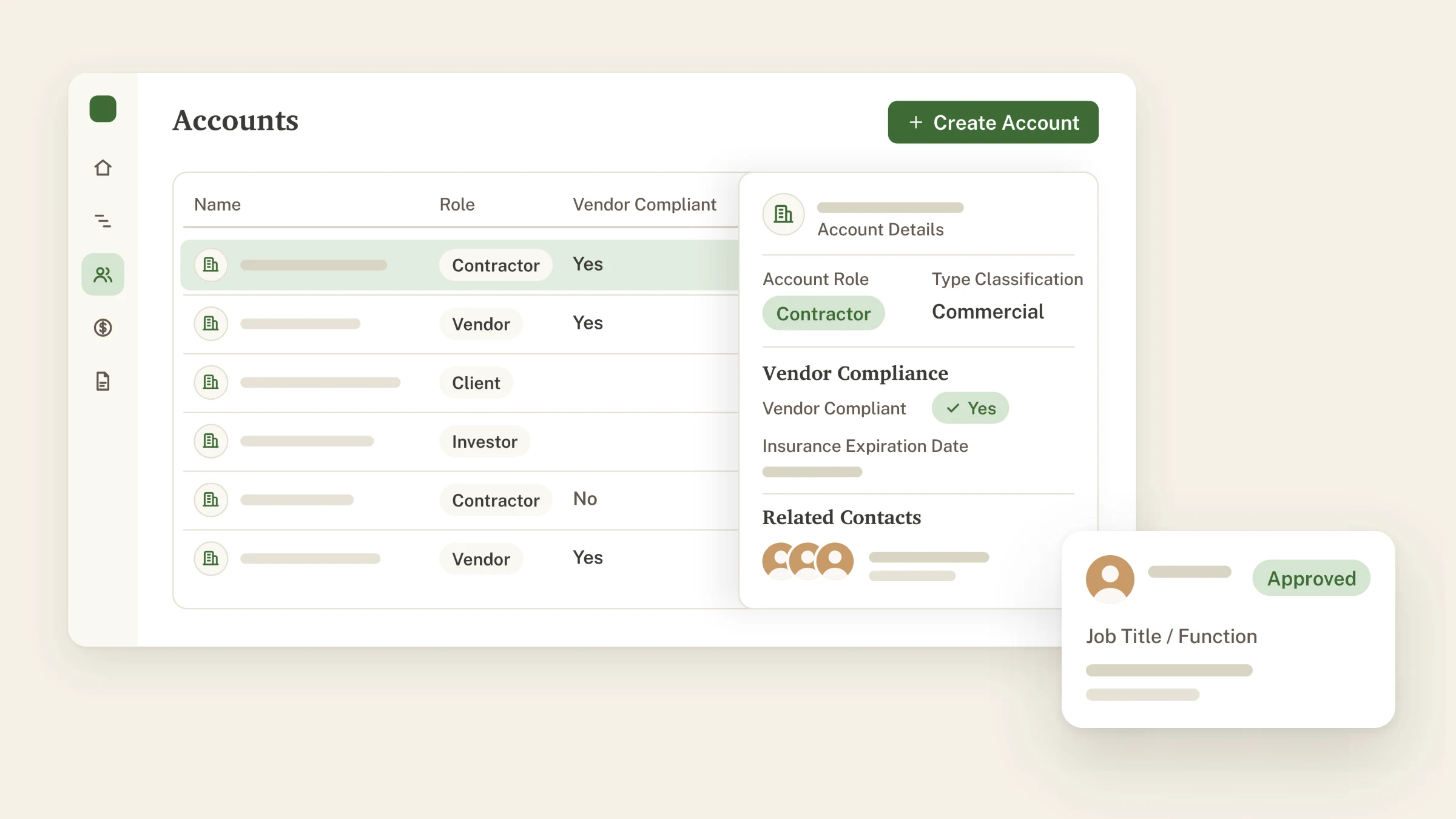
See how one vendor’s account record shows what they’re contracted for, whether their insurance is current, and who you’re working with on their team.
When you add a vendor, track their insurance expiration date and compliance status on one record.
Related Modules
Connects with the rest of TerraTech 360
Project Management
Team members, vendors, and contacts are assigned right on the task, so the project manager always knows who’s handling each step of the schedule.
Learn more →Financial Management
Each vendor’s contracts and invoices are listed on its account, so the people and the money stay connected.
Learn more →Frequently Asked Questions
What teams ask before getting started
Quick answers to common questions about TerraTech 360. If your question isn’t here, our team is one message away and happy to walk you through it. Just send us an email at sales@terratech360.com.
Can tasks be assigned to a contractor or vendor who isn’t a TerraTech 360 user?
Yes. Tasks can be assigned to any account or contact in the system, so you always know who owns the work. The task also ties directly to the related contracts and invoices.
Can investors, lenders, or land sellers get limited access to a project status?
This is on our roadmap and in active development, based on feedback from the land developers using TerraTech 360 today.
Who can add people or change roles?
Only Owners and Admins can add or remove team members and change their roles. Everyone on the team sees the same roster.
What roles are there?
There are five roles within TerraTech 360, and a user can be assigned more than one role:
- Owner: Full control of the organization. There is only one, and it changes only through Transfer Ownership.
- Admin: Organization administration. Can invite and manage members.
- Lead: Executive-level access, aligned with the Lead dashboard.
- Manage: Project management access, aligned with the Manage dashboard.
- Do: Individual contributor access, aligned with the Do dashboard.
Can we control what each person can see or edit?
Owners and Admins control who’s on the team and what role each person has. More detailed permissions are in active development and expected to release in Q4 2026.
Know who to call on every project
We will walk you through how your own team, trades, and vendors could be organized in TerraTech 360.